GoHighLevel Custom Dashboard for Reliable GoHighLevel Systems
Custom improvement work that makes GoHighLevel pages, views and operating screens clearer and more usable. The goal is a practical system that can be tested, understood and improved after launch.
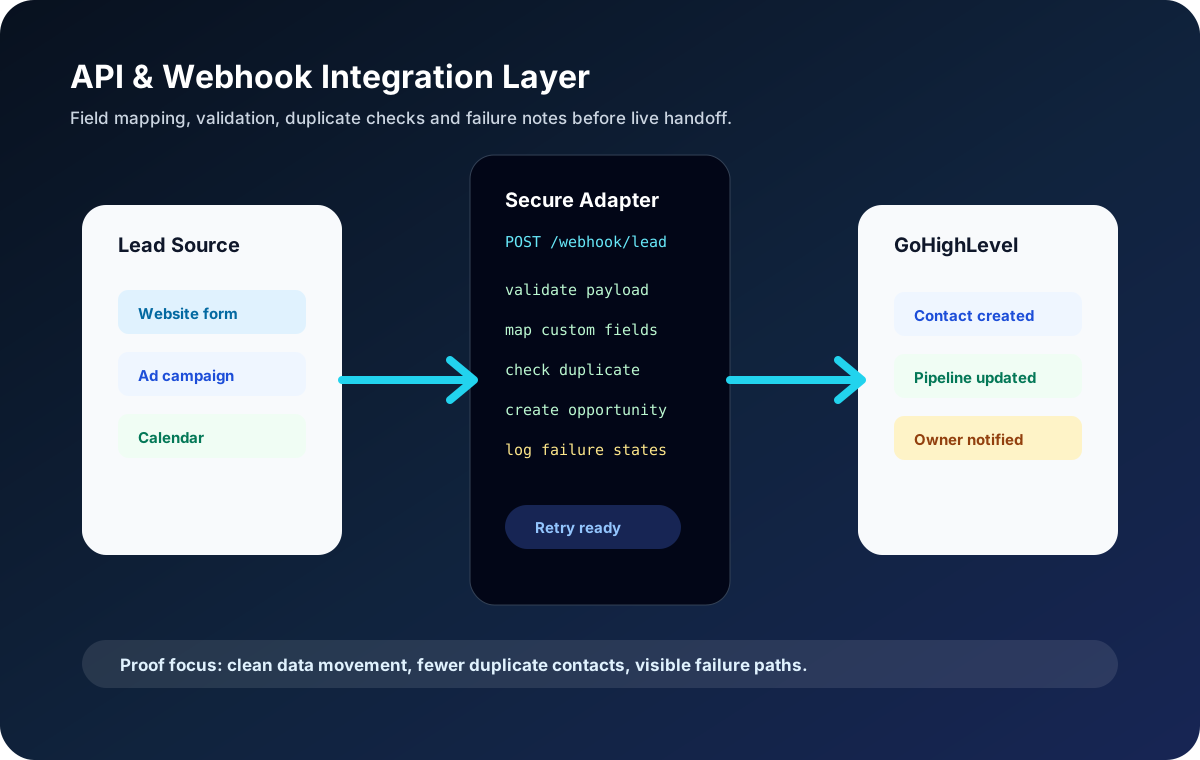
Field mapping, validation, duplicate checks and failure notes for safer integrations.
Style or dashboard audit
Validated pathScoped improvements
Operator readyResponsive checks
Validated pathQA screenshots
Operator readyCRM Control Panel
Best fit
Who this helps
Teams that need custom styling, dashboards or technical polish beyond default GoHighLevel settings.
Common Problems
- Messy page styling
- Mobile issues
- Hard-to-read views
- No operating clarity
Typical Deliverables
- Style or dashboard audit
- Scoped improvements
- Responsive checks
- QA screenshots
- Change notes
Delivery method
Implementation approach
Inspect current asset
Clear scope, careful setup and practical validation before handover.
Plan improvement
Clear scope, careful setup and practical validation before handover.
Apply changes
Clear scope, careful setup and practical validation before handover.
Test responsive views
Clear scope, careful setup and practical validation before handover.
FAQ
Questions before starting
What is included in GoHighLevel Custom Dashboard?
GoHighLevel Custom Dashboard can include planning, configuration, testing, documentation and practical handover based on the project scope.
Who is GoHighLevel Custom Dashboard best for?
Teams that need custom styling, dashboards or technical polish beyond default GoHighLevel settings.
How do you make the work reliable?
I review the business rule, build around clear data and ownership, test edge cases, and document the final setup before handover.
Next reading
Related services and guides
GoHighLevel Automation Expert
Workflow automation designed to respond quickly, route leads correctly and reduce manual follow-up.
Explore serviceGoHighLevel CRM Setup
Account setup that makes pipelines, calendars, forms, fields and notifications work together from the beginning.
Explore serviceGoHighLevel Expert
Expert GoHighLevel implementation focused on capture, routing, follow-up, reporting and confident handover. The goal is a practical system that can be tested, understood and improved after launch.
Explore serviceHow to Hire a GoHighLevel Expert
A practical hiring checklist for choosing a specialist who can scope, implement and document a reliable CRM system.
Read guide automationCommon GoHighLevel Workflow Mistakes
Workflow mistakes that lead to duplicate messages, missed follow-up, bad routing and fragile automation.
Read guide crm implementationHow to Build a Complete GoHighLevel CRM Strategy for Your Agency
How to Build a Complete GoHighLevel CRM Strategy for Your Agency explained with practical GoHighLevel planning notes, implementation checks, risk points and handover guidance for agencies and service businesses.
Read guide