
Launch and Configure Your GoHighLevel SaaS Offering
SaaS Mode setup focused on onboarding flow, subscription configuration, support boundaries and handover.
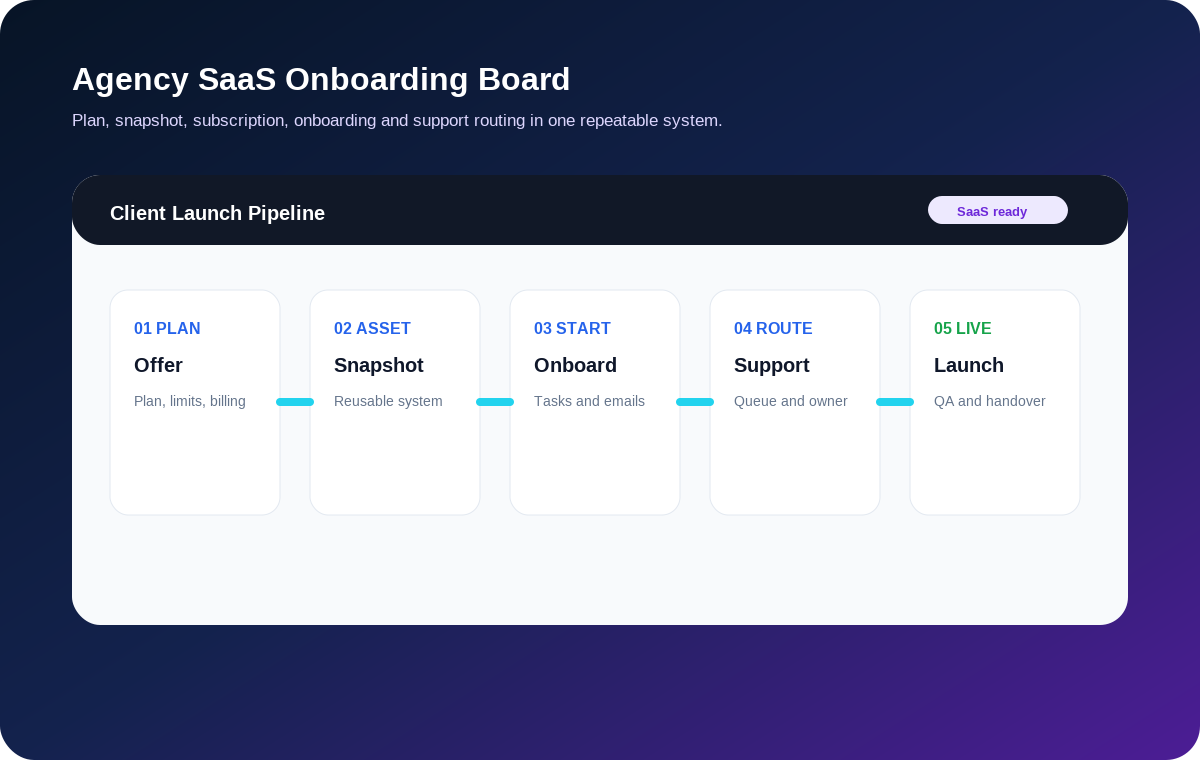
Repeatable agency SaaS workflow modeling client onboarding, snapshot provisioning, and support queues.
SaaS plan tiering and feature entitlement configuration
Validated pathSnapshot dependency audit (custom values, forms, and funnel links)
Operator readyAutomated sub-account provisioning and stripe webhook mapping
Validated pathClient onboarding email/SMS sequence and welcome tasks
Operator readyCRM Control Panel
Best fit
Who this helps
Agencies preparing a white-label or SaaS-style CRM offer.
Common Problems
- Manual sub-account creation slowing down client onboarding
- Hardcoded links in snapshots breaking across new client accounts
- Unclear feature boundaries between agency SaaS tiers
- High churn caused by confusing first-week client onboarding
Typical Deliverables
- SaaS plan tiering and feature entitlement configuration
- Snapshot dependency audit (custom values, forms, and funnel links)
- Automated sub-account provisioning and stripe webhook mapping
- Client onboarding email/SMS sequence and welcome tasks
- Support triage workflow and snapshot update procedures
Delivery method
Implementation approach
SaaS Offer Design: Clarify pricing tiers, limits, and snapshot assets
Clear scope, careful setup and practical validation before handover.
Snapshot Hardening: Replace hardcoded assets with dynamic custom values
Clear scope, careful setup and practical validation before handover.
Provisioning Automation: Connect Stripe billing to sub-account creation
Clear scope, careful setup and practical validation before handover.
Customer Journey QA: Test checkout, provisioning, and first login
Clear scope, careful setup and practical validation before handover.
Agency Handover: Deliver agency admin SOPs and support workflows
Clear scope, careful setup and practical validation before handover.
FAQ
Questions before starting
What is included in GoHighLevel SaaS Mode Expert?
GoHighLevel SaaS Mode Expert can include planning, configuration, testing, documentation and practical handover based on the project scope.
Who is GoHighLevel SaaS Mode Expert best for?
Agencies preparing a white-label or SaaS-style CRM offer.
How do you make the work reliable?
I review the business rule, build around clear data and ownership, test edge cases, and document the final setup before handover.
Next reading
Related services and guides
GoHighLevel Snapshot and Migration
Snapshot and migration support that treats data, workflows and account context as a system.
Explore serviceGoHighLevel Support Services
Technical support for teams that need their CRM maintained, monitored and improved after launch.
Explore serviceGoHighLevel Account Setup Checklist
A setup checklist for pipelines, calendars, forms, users, notifications and launch quality assurance.
Read guide saas modeGoHighLevel SaaS Mode Setup Guide
A launch guide for agencies preparing SaaS Mode configuration, onboarding and support operations.
Read guide crm setupGoHighLevel Custom Values vs Custom Fields: The Enterprise Architecture Guide
Master GoHighLevel custom values vs custom fields. Learn global singleton variables vs record attributes, snapshot portability, and avoiding hardcoded workflow debt.
Read guide crm setupGoHighLevel User Roles and Permissions: The Enterprise RBAC Guide
Master GoHighLevel user roles, permissions, and RBAC. Configure "Only Assigned Data", prevent contact export theft, lock down workflows, and automate offboarding.
Read guide